GCP budgets don't cap spend — Pub/Sub is the only hard-stop
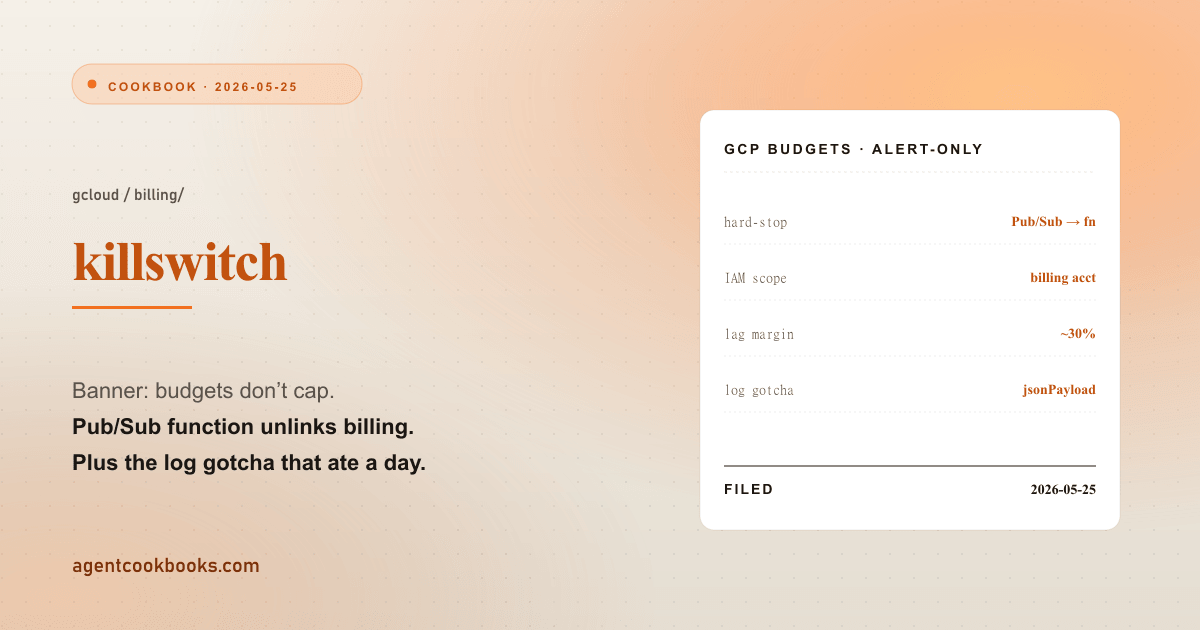
Every GCP budget page carries a banner: “Setting a budget does not cap resource or API consumption.” Budgets are alert-only — by the time the email lands, a leaked API key has already billed thousands. The only true hard-stop is the official-but-undocumented pattern of a Pub/Sub topic feeding a Cloud Function that unlinks the project’s billing account. Here is the recipe, the IAM scope that limits blast radius, and the Gen 2 Cloud Function log gotcha that turned a 20-minute deploy into an afternoon of “is my function even running?”
What I ran
No skill activation — this was production deploy work on a solo GCP project. The setup: one service account with paid-API access, budgets configured with email channels only, and no hard cap. A single leaked SA key could quietly burn four figures before anyone read inbox. Goal: wire a real kill-switch that fires when monthly spend crosses a configured cap, scoped tightly enough that a leak of the killer SA itself wouldn’t be catastrophic.
The official docs hide this behind a banner that says “use Pub/Sub + Functions” without giving the recipe. The recipe below is what survived deployment.
The architecture
[Budget $X] --notification--> [Pub/Sub topic] --push--> [Cloud Function]
                                                              |
                                                              v
                                          cloudbilling.projects.updateBillingInfo(
                                            name="projects/{PROJECT_ID}",
                                            body={"billingAccountName": ""}
                                          )
Unlinking the billing account hard-stops every paid GCP API on the project instantly. The project keeps running on free-tier quotas (or stops, depending on the API). Re-link manually after diagnosing the leak.
Build steps
- Create Pub/Sub topic
billing-alerts. - Attach the topic in Cloud Billing → Budgets → notification channels.
- Cloud Function (Gen 2, Python or Node) reads
costAmountvsbudgetAmountfrom the event payload, returns early if under threshold (e.g. 100%), else callsupdateBillingInfoto unlink. - Scope the service account. SA needs
roles/billing.adminon the billing account, not the project. Scoping to one billing account limits blast radius if the SA key itself leaks — a leaked killer-SA can unlink one billing account, not pivot across the org. - Smoke-test the function with a fake payload that has
costAmount > budgetAmountand a non-production project ID.
The function itself is ~150 LOC — the policy is simple; most of the file is logging and idempotency guards so a re-fired alert doesn’t try to unlink an already-unlinked project. Cost to run: pennies per month. One-time setup including dashboard clicks, IAM bindings, and a destructive test ran about two hours.
Where it drifted
Billing data has a 6–24h lag. Actual spend at trigger time runs over the configured cap by a meaningful margin — call it ~30% on small budgets, since a burst that’s noise against a large cap reads as a real overrun against a small one. Pin the cap that far below your real ceiling and treat the buffer as the price of the lag.
Gen 2 Cloud Function Python logger.info output does not appear in gcloud functions logs read default view. This is the one that ate the afternoon. The default CLI format renders only textPayload entries — startup probes, deployment rollouts. Python logging module output lands in jsonPayload and shows as empty LOG: lines in the default view. Worse, gcloud functions logs read --filter='textPayload:"x"' returns zero results plus a misleading warning: "The following filter keys were not present in any resource : textPayload". The warning means no entries have textPayload at all (because Python doesn’t emit one) — not that your filter was malformed.
Two workarounds:
# Use the structured-logging API and project jsonPayload.message explicitly
gcloud logging read 'resource.labels.service_name="<fn>"' \
  --format='value(timestamp,jsonPayload.message)' \
  --freshness=30m

# Or open Cloud Logging UI — each entry expands its full JSON
Smoke-test success is provable without seeing your own logs. HTTP status POST 200 in the Logs Explorer request-log view plus absence of ERROR entries means the function ran cleanly, even when your logger.info calls appear blank in gcloud functions logs read. Don’t waste a debugging cycle assuming the function never ran; assume it ran and you’re looking in the wrong viewer.
Destructive test discipline. A function that “should” unlink billing but has never actually done so under a real budget event is not a kill-switch; it’s a hope. Spin up a throwaway project, set a one-cent budget, generate one paid request, and watch the unlink fire end-to-end. The first time the production version fires shouldn’t be the first time it has ever fired.
What I’d change
For any future GCP project with paid APIs and a single operator, the kill-switch is the first thing to wire, not the last.
Default to Python on Gen 2 and use the structured-logging viewer from day one. The gcloud functions logs read default is genuinely broken for Python — using it once will train a habit of “logs are empty, function is broken” that wastes hours. Bookmark the gcloud logging read command above, or live in the Cloud Logging UI.
Pin the budget cap well below the tolerable ceiling, document the lag explicitly. A ~30% safety margin looks paranoid until the 6–24h billing lag puts spend a third over the cap at trigger time. That isn’t a margin to argue with — it’s how the platform reports.
The function itself is small. The platform footguns around it cost more than the implementation.